
Starlink at sea in practice: our own measurements on board a ship with speed, latency under load and what it means for boats and sailing.
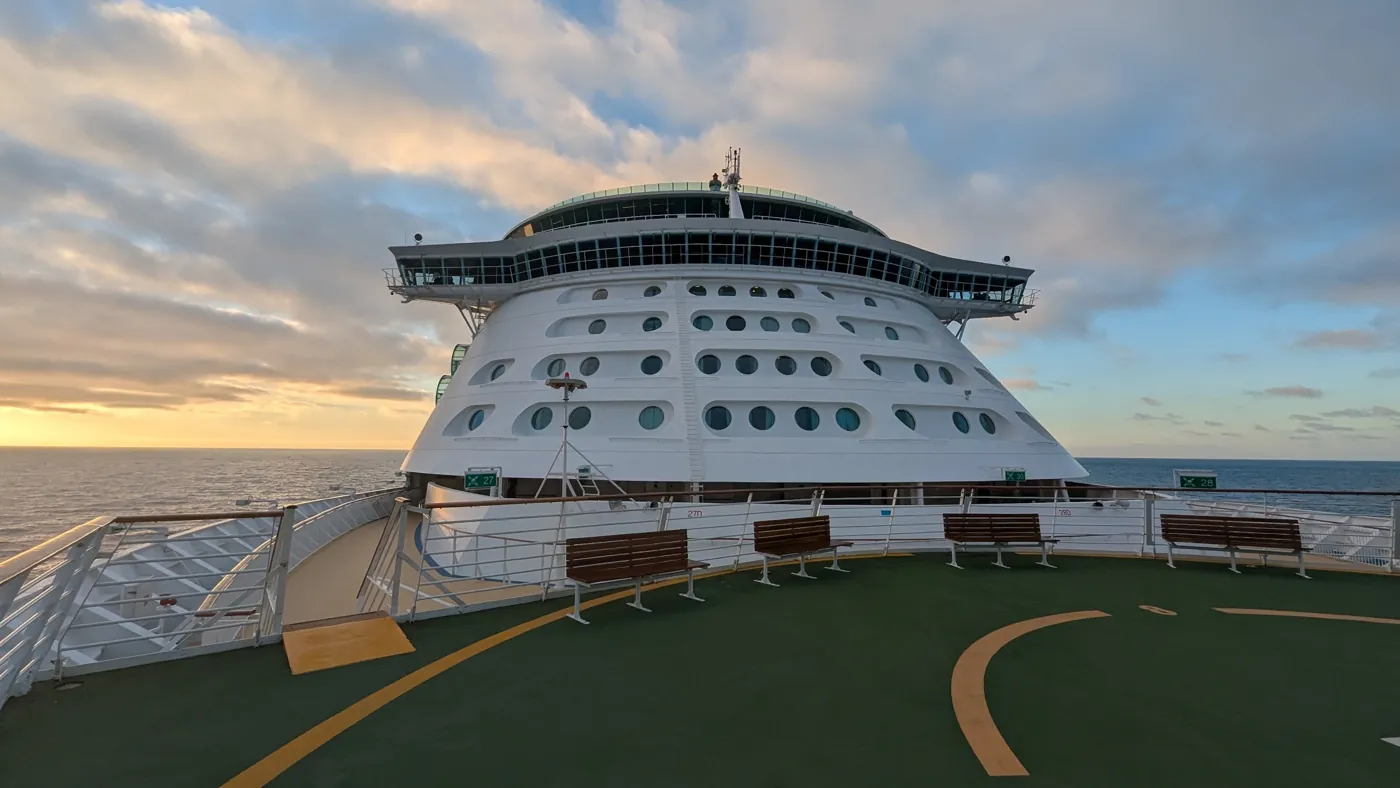
In a short time, Starlink at sea has become standard on ships, ferries and more and more leisure boats. But how does the connection work in practice when many people share it? That is why we measured it ourselves on board a ship between Los Angeles and Ensenada in Mexico, where the passengers got Wi-Fi via Starlink. In addition, the internet package cost around 100 dollars for a three-night trip. Here, we present the results, explain what the figures mean and what you can learn from them before installing Starlink on your own boat.
How we measured Starlink at sea
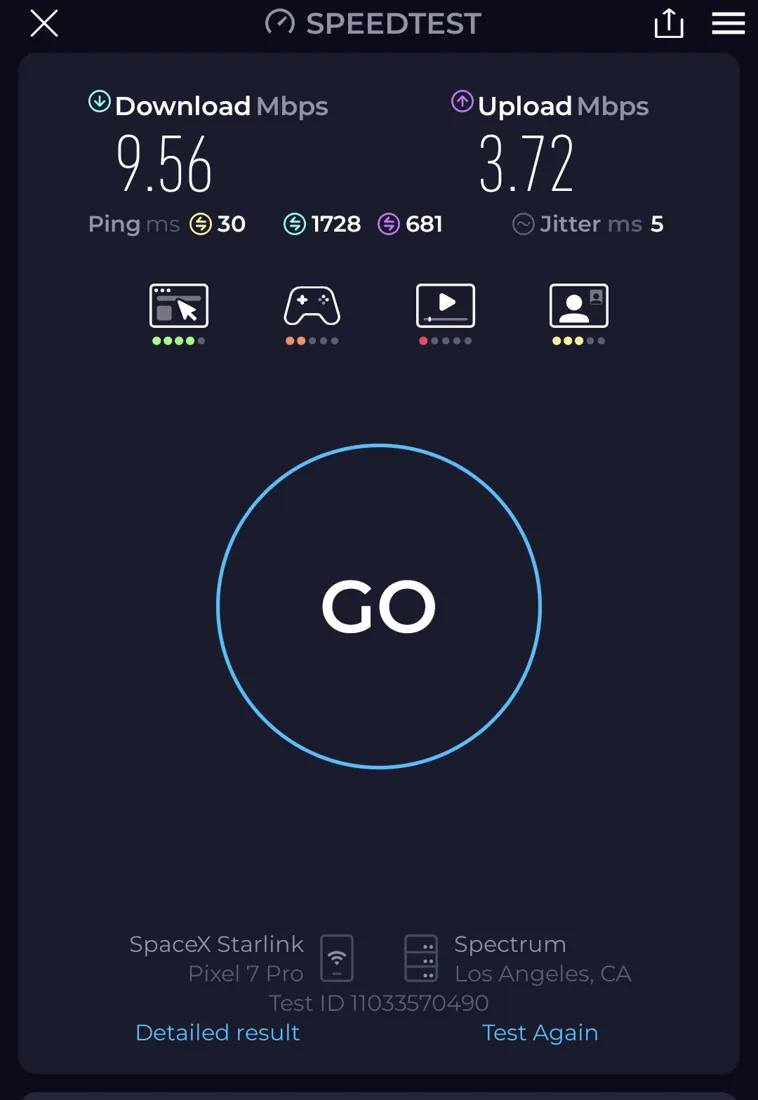
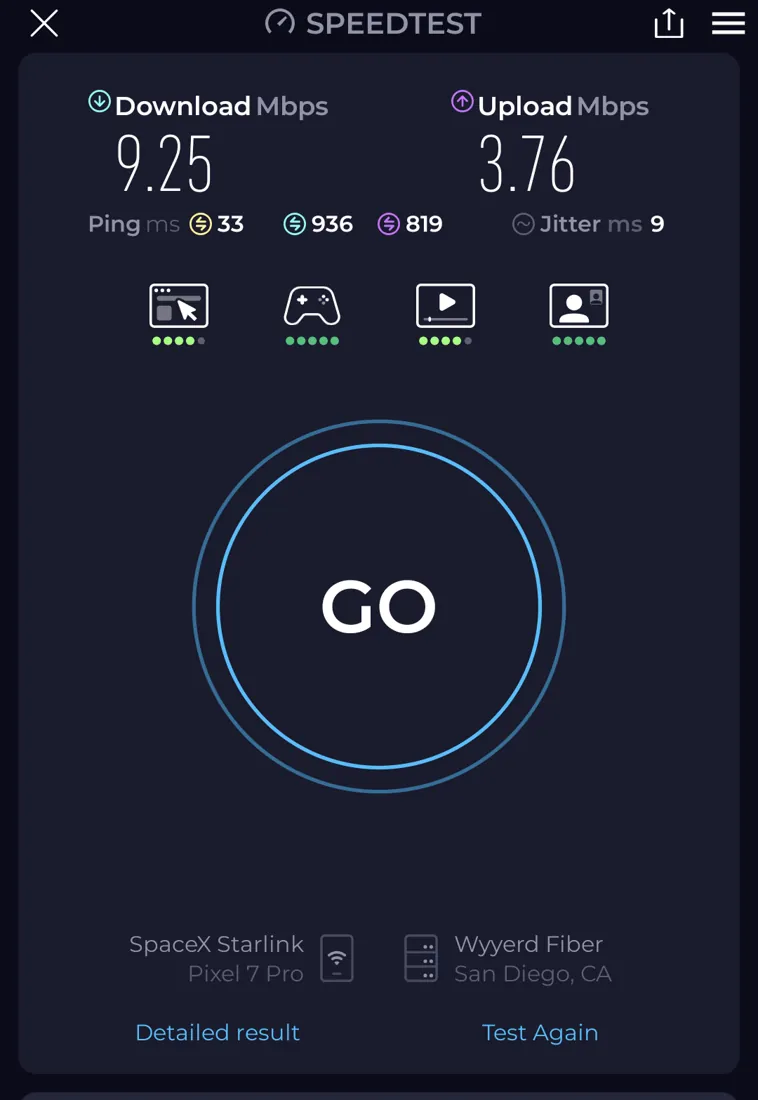
We measured with the Speedtest app on a mobile phone connected to the ship’s guest Wi-Fi. At the same time, the app showed SpaceX Starlink as the operator. We also measured against two different servers, one in Los Angeles and one in San Diego, to see whether the result depended on the server’s location. Besides speed, the app recorded latency without load, latency under load and the variation in latency, known as jitter. It is precisely the latency under load that decides how video calls and VPN work, and it is therefore as important as the speed.
The results
| Measurement | Test 1 (Los Angeles) | Test 2 (San Diego) |
|---|---|---|
| Download | 9.56 Mbit/s | 9.25 Mbit/s |
| Upload | 3.72 Mbit/s | 3.76 Mbit/s |
| Latency without load | 30 ms | 33 ms |
| Latency during download | 1,728 ms | 936 ms |
| Latency during upload | 681 ms | 819 ms |
| Jitter | 5 ms | 9 ms |
The speed stayed steady at around 9.5 Mbit/s down and 3.7 Mbit/s up, whatever the server. This suggests that the ship capped the speed per user, or that the passengers shared the capacity heavily. The latency without load, on the other hand, was low, about 30 ms, which matches many fixed broadband connections. Under load, however, it rose to almost two seconds in the first test.
What the figures mean in practice
With about 9 Mbit/s, email, browsing and messaging worked without problems, for example. Video calls also worked, but the picture quality dropped when someone else on the same network was downloading. High-resolution streaming, on the other hand, was limited. The high latency under load, often called bufferbloat, explains why calls can stutter even though the speed is sufficient. The problem therefore does not lie in the satellite link itself, since the latency without load was low. Rather, the cause is that many users share the same connection and the queues in the network grow.
The Wi-Fi network on board
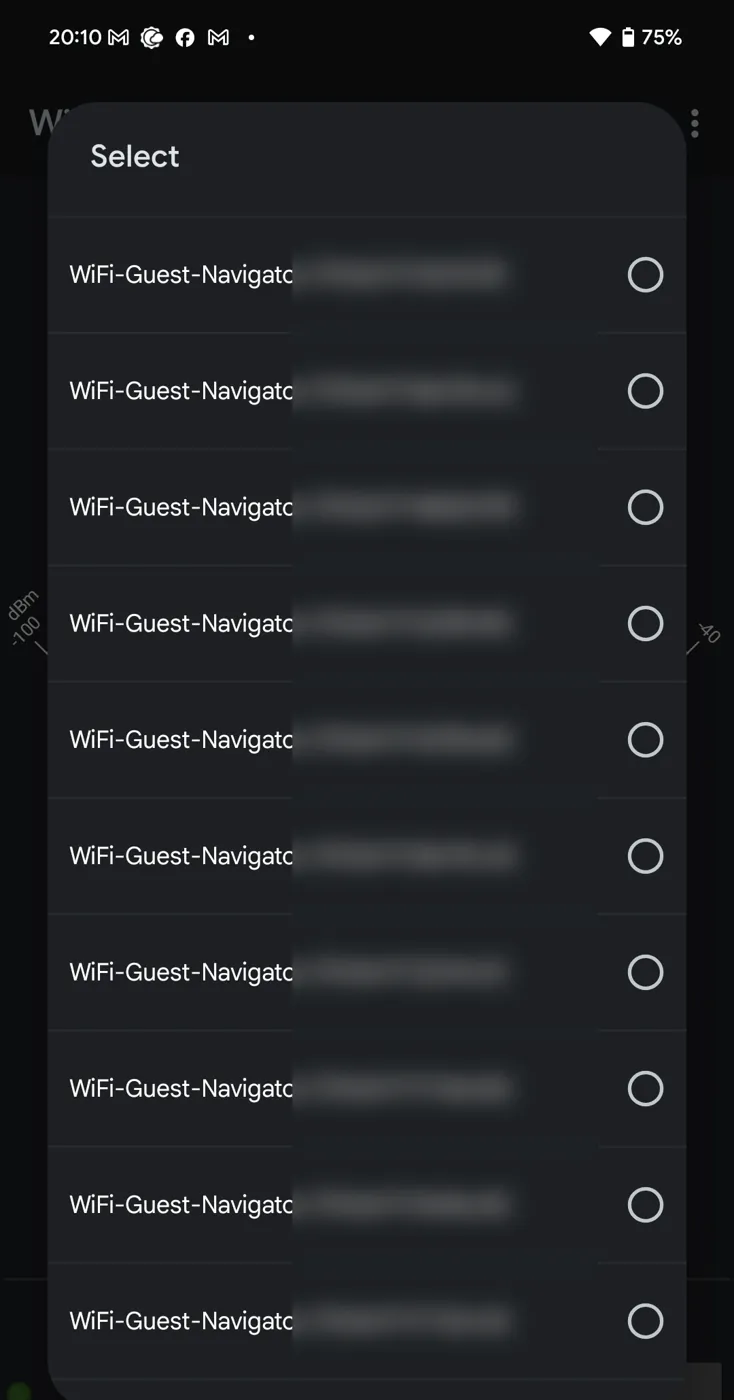
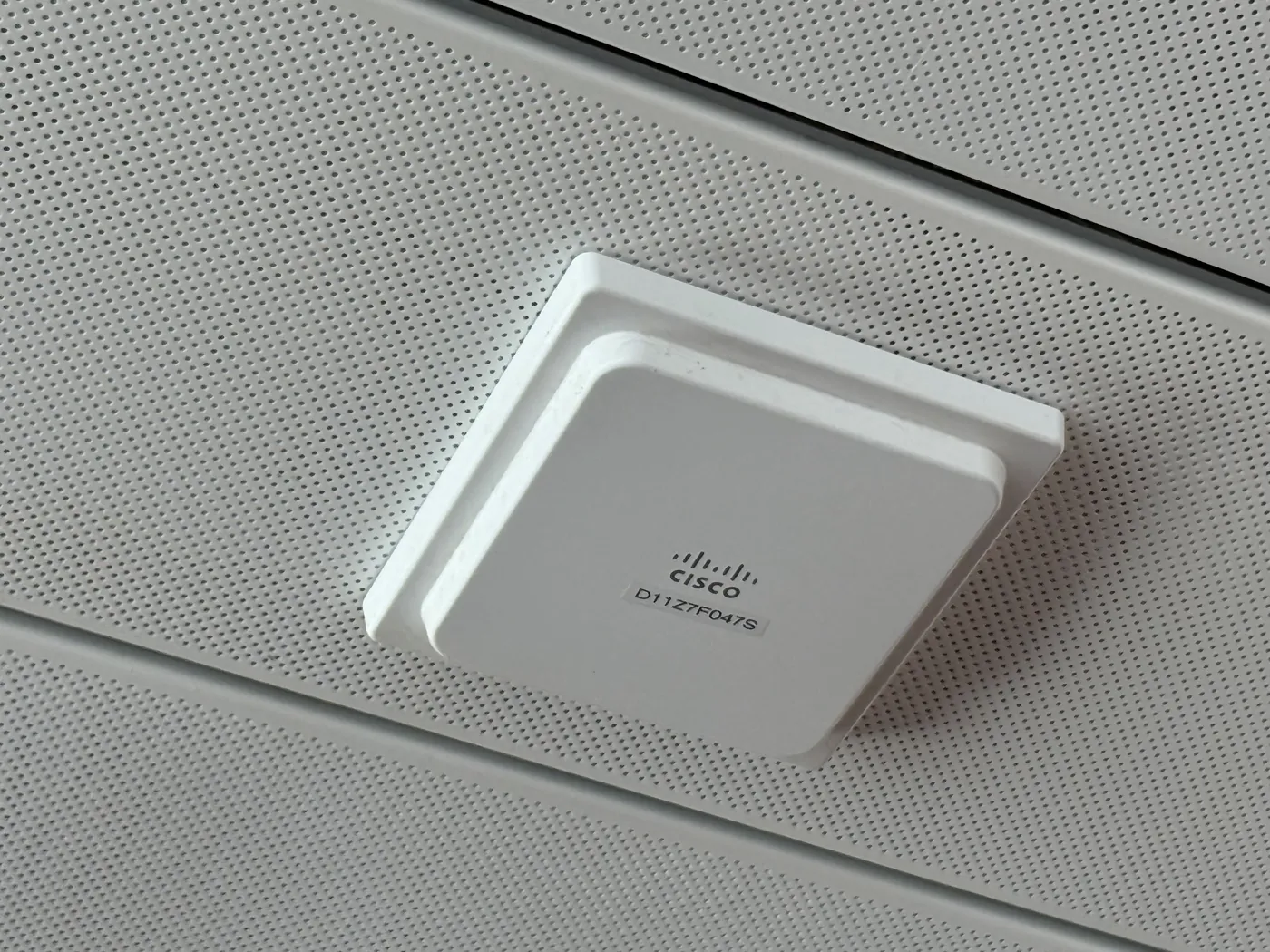
On board, a large number of ceiling-mounted access points also broadcast the same guest network. When we searched for networks, the same name appeared from around ten nearby access points. As a result, the phone could move between the access points as we walked on deck and in the corridors. It is the same principle as in a mesh network or in an office with access points, only on a much larger scale. We therefore use the same principle in offices, see the guide on Wi-Fi in the office.
Lessons before Starlink on your own boat
On your own sailing boat or motorboat, by contrast, you do not share the connection with hundreds of passengers. Both the speed and the latency under load are therefore normally much better than on board a ship. At the same time, there are three things to consider. First and foremost, the subscription must allow use at sea. In addition, power consumption affects the choice of equipment, which is why many people choose Starlink Mini, which runs on direct current. Finally, we need to plan the Wi-Fi coverage, because an antenna on deck does not always reach down into the cabin. That is why we go through power, mounting and Wi-Fi on board together with you before the installation.
How to get more out of a shared connection
Even if you cannot influence the ship’s network, there are ways to get more out of it. For example, turn off automatic updates and cloud sync on your phone and computer, because they otherwise use capacity in the background. Also download films, maps and documents before departure. Book important video calls early in the morning, when fewer passengers are online. On your own boat, however, you can control more, for example by prioritising calls in the router and limiting how much individual devices may use.
Starlink at sea compared with mobile networks
Close to the coast, however, a 4G or 5G subscription with a good outdoor antenna can give the same or higher speed than Starlink. Out at sea and in archipelagos with poor coverage, on the other hand, Starlink is often the only option. Many boat owners therefore combine both and let a router switch automatically. Finally, if you want to follow the rules for radio equipment on board, you can read more at the Swedish regulator Post- och telestyrelsen.
What we take with us to the next installation
The measurements show that the connection on board worked for email, messaging and simple browsing, but not for heavy video calls. On your own boat with your own Starlink, however, you do not share the capacity with hundreds of passengers, and the result is therefore much better. We use the experience when we plan Starlink on sailing boats, and we describe the connection on land in the guide on Starlink and mesh. Close to the coast, a 4G or 5G router can also be a complement.
Are you planning Starlink at sea?
We help with the choice of equipment, power supply, mounting and Wi-Fi on board, as well as with combining Starlink and 4G/5G. Prices from €200 per hour excluding VAT. Describe your boat and your needs →
Frequently asked questions about Starlink at sea
Questions about Starlink at sea
- How fast is Starlink on a cruise ship?
- Why was the speed only 9 Mbit/s?
- What latency does Starlink have at sea?
- What is bufferbloat?
- Do video calls work via Starlink on a ship?
- Does streaming work via Starlink at sea?
- What did internet on board cost?
- Is Starlink faster on your own boat?
- Which Starlink subscription do you need at sea?
- Does Starlink Mini suit a sailing boat?
Starlink on board: speed and latency
- How much power does Starlink draw on a boat?
- Does the boat need an extra access point?
- Is Starlink better than 4G at sea?
- Can you combine Starlink and 4G on a boat?
- How do you measure the Starlink speed on board?
- Why does latency under load matter?
- Does the weather affect Starlink at sea?
- Does Starlink work while moving?
- Can you mount Starlink on the mast?
- What is jitter?
More about Starlink on boats and ships
- How many access points were there on board?
- What can we learn from the ship’s Wi-Fi?
- Do I need a VPN on the ship’s Wi-Fi?
- Does Starlink work in the Swedish archipelago?
- Can you use Starlink both at the cottage and on the boat?
- Does a boat need a mesh network?
- Can Wi-Fi Problem install Starlink on my boat?
- What does the help cost?
- Where can I find more about Starlink and mesh?
- When did you carry out the measurements?